
01
Start with the shape of the trip
Name the itinerary, add a short traveler-facing description, and break the route into days, stops, and optional branches.
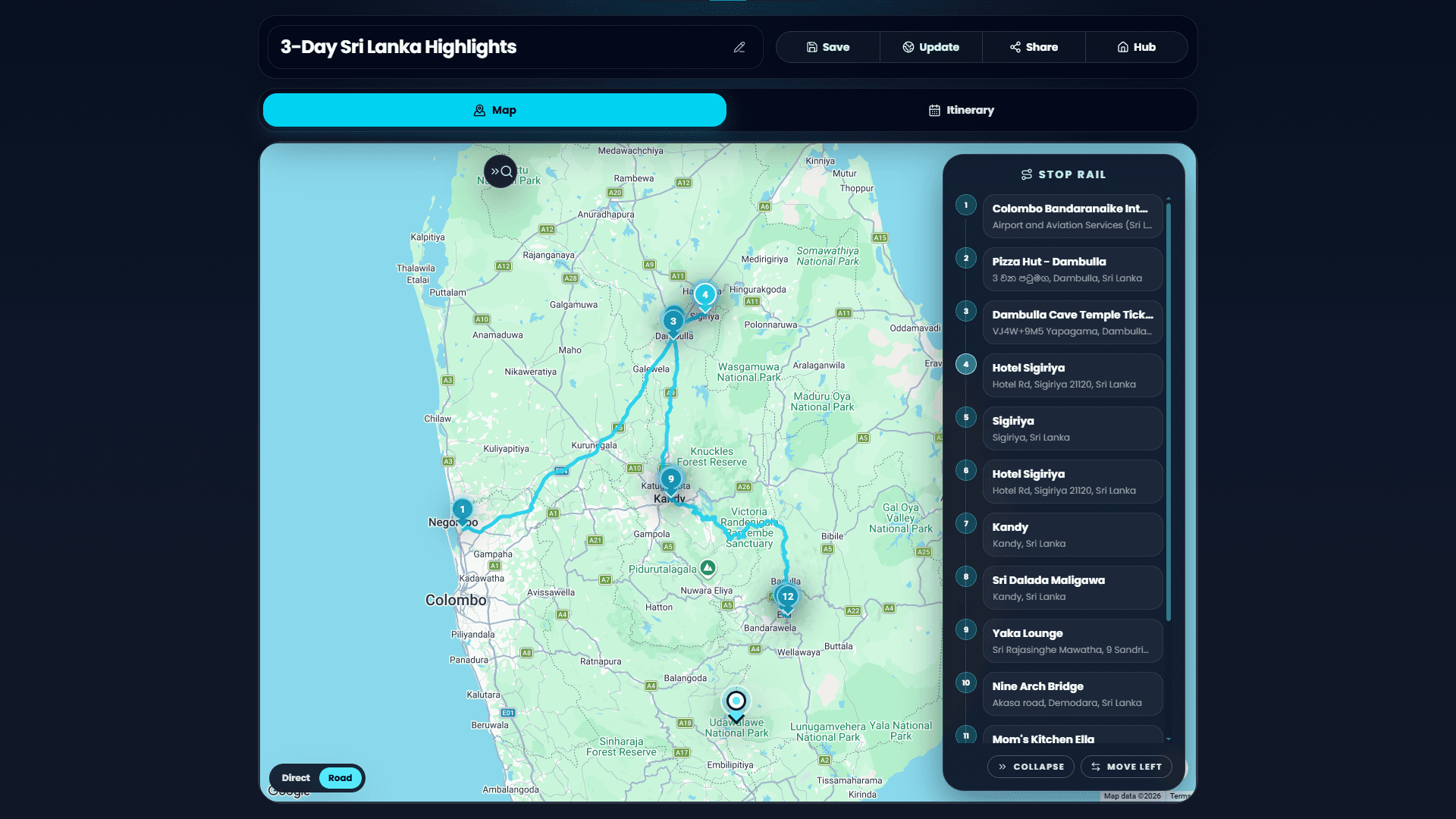
Quick-It-In turns a trip into a structured route: stops, days, map locations, notes, alternate options, and a clean public page for travelers.
How to use it
Name the itinerary, add a short traveler-facing description, and break the route into days, stops, and optional branches.
Use map-backed locations, times, stop types, notes, and quick links so every stop is clear before the trip starts.
Publish a clean public itinerary link, copy markdown, or export a visual snapshot for messages and trip docs.
Why use it
The extension keeps the planning surface focused on travel decisions, while still sharing the save, account, and publishing infrastructure from S&R.
Build routes around actual places, coordinates, and Google Maps links without turning your plan into a spreadsheet.
Keep arrivals, lodging, food, activities, and transport stops readable across multi-day trips.
Draft quickly on the current device, then sign in when you want account-linked saves and publishing.
Publish a public snapshot with trip details and stop groups that viewers can open from a simple link.